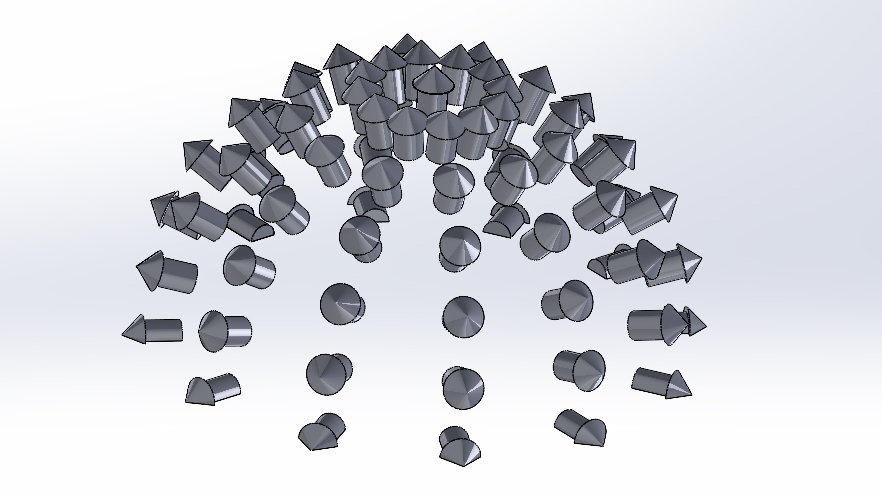
SolidWorks automation example
Why?
For fun! This is a small project made to show CAD automation capabilities and demonstrate an understanding of its API (Part, Assembly).
What?
It is a combination of MATLAB and VBA code used to create a CAD model of an arrow with supplied dimensions, and distribute the arrows in an assembly along a half-hemisphere, pointing outwards and normal to the surface.
How?
An Excel file containing arrow dimensions and hemisphere diameter which is read by the MATLAB script.
MATLAB script:
-
Reads the arrow dimensions
-
Determines the arrow distribution along a hemisphere based on specified parameters
-
Calculates arrow positions and orientations in the global coordinate system
-
Writes the above information into an Excel file
SolidWorks macro:
-
Reads the Excel file
-
Creates an arrow part with the supplied dimensions
-
Creates an assembly and places each arrow in the specified position and orientation